The best AI tools for LinkedIn in 2026

TL;DR
In 2026, AI tools for LinkedIn fall into four categories: content creation, scheduling, analytics, and engagement. For personal branding with authentic content, Clonio stands out for its voice analysis, AI image generation, and built-in analytics. For advanced analytics with data export, Shield. For English-language creators, Taplio. And if you're already on ChatGPT, good prompts are enough. Below we break down the 7 best options with pros, cons, and real pricing.
If you work on your personal brand on LinkedIn, you already know what it costs to keep the pace. Coming up with a topic, drafting something that grabs attention, adding a strong image, and posting at the right moment can eat hours every week. AI tools promise to solve that problem, but not all of them deliver. In this guide we break down the best options on the market in 2026, with an honest take on what each one does well and what it's missing.
Why AI tools for LinkedIn matter in 2026
LinkedIn has changed radically. It's no longer a job board: it's a content platform where professionals compete for the attention of an increasingly demanding audience. According to the platform's internal data, more than 50% of long-form posts already incorporate some form of AI assistance in their creative process. That doesn't mean everything is "written by robots" — it means the most productive creators are using technology to research, structure, and optimize their posts.
LinkedIn itself has integrated LLaMA-3 as an internal language model and launched 360Brew, a native assistant for generating drafts straight from the platform editor. The algorithm now understands the semantic meaning of your posts, not just keywords. Shallow content gets less distribution; posts with depth, real experience, and original opinion are rewarded.
Producing that level of quality consistently — three, four, or five times a week — is basically impossible without tech help. AI isn't cheating. It's the tool that lets you compete at the level LinkedIn demands today. The question is picking the right tool for your specific case.
Categories of AI tools for LinkedIn
Before getting into specific tools, it's worth understanding that not all of them solve the same problem. The AI tooling space for LinkedIn splits into four big categories:
Content creation. Tools that generate posts, carousels, images, and copy optimized for LinkedIn. Some learn your voice and style; others produce generic text from templates. The quality gap between those two approaches is huge. If your goal is building an authentic personal brand, you need a tool that captures the way you communicate.
Scheduling. Platforms that let you plan posts, maintain an editorial calendar, and publish at the optimal time without watching the clock. Some integrate basic AI to help with drafting, but their main focus is publishing logistics.
Analytics and metrics.Tools that go beyond LinkedIn's native stats to give you detailed data on performance, audience growth, best posting times, and engagement trends. Essential if you want to make data-driven decisions.
Engagement and visibility.Solutions that help you interact with other people's content in a smart way — comments, reactions, strategic connections — to increase your visibility on the platform without spending hours on manual scrolling.
Many tools combine several categories, but each one has a main focus. Let's look at the best of each type.
The 7 best AI tools for LinkedIn in 2026
1. Clonio — Content creation with voice learning
Clonio is a tool designed specifically to automate personal branding on LinkedIn. Its main value proposition is that it learns your voice: during onboarding, the AI analyzes your profile and your past posts to extract your writing style, your tone, and your vocabulary. That information, combined with your niche and target audience, makes it possible to generate drafts that sound like you, not like a generic template.
What really sets it apart is the AI image generation. You upload reference photos and Clonio creates professional images of you in different contexts — giving a talk, in a meeting, working at the office — without needing photoshoots. That solves one of the biggest bottlenecks for visual content on LinkedIn. It also includes post scheduling, automatic daily publishing, a content calendar, and performance analytics.
What it does well: the voice analysis during onboarding captures your style accurately from the first use. AI image generation with your face is a unique feature that no competitor offers at the same level. The end-to-end experience (idea, draft, image, publish) is well integrated. It includes detailed analytics on your LinkedIn metrics.
What it's missing:it's designed exclusively for LinkedIn, so if you need to manage multiple networks it's not your tool. It doesn't include a viral post library for inspiration the way Taplio or Kleo do.
- Price: announced at launch.
- Best for: professionals who want to automate their personal branding on LinkedIn with authentic content.
- Main category: content creation + scheduling.
2. Taplio — All-in-one growth for LinkedIn
Taplio is probably the best-known platform in the LinkedIn ecosystem for the English-speaking market. It combines AI content generation, scheduling, a basic CRM for managing connections, and a database with millions of viral posts for inspiration. Its writing tool lets you generate drafts from topics, URLs, or Twitter threads you want to adapt to LinkedIn.
What it does well: the viral post library is a goldmine for finding inspiration. The CRM functionality lets you tag contacts and track interactions. The interface is modern and fast.
What it's missing:the AI is optimized primarily for English. If you write in another language, the results are noticeably worse in terms of naturalness and idiomatic expressions. The entry price is high for what the basic plan offers, and the most interesting features require the premium plan. It doesn't generate AI images.
- Price: $39/month (Standard) - $149/month (Pro).
- Best for: English-language content creators who want an all-in-one platform.
- Main category: content creation + CRM.
3. AuthoredUp — Advanced editor for LinkedIn posts
AuthoredUp takes a different approach: instead of generating content from scratch with AI, it focuses on helping you write better yourself. Its enriched editor adds features LinkedIn doesn't offer natively — advanced text formatting, real-time preview of how your post will look in the feed, structure templates, and readability analysis. It's a browser extension that integrates directly into the LinkedIn editor.
What it does well: previewing the post before publishing is incredibly useful. The structure templates help maintain consistency. Readability analysis tells you if your post is too long, too dense, or has a weak hook. The saved drafts library lets you reuse and recycle content.
What it's missing:it's not really an AI content generator. It doesn't write for you: it helps you write better. If you're after real automation (AI drafting from scratch), AuthoredUp isn't the solution. It doesn't include scheduling or auto-publishing either — you need to pair it with another tool.
- Price: $19.95/month.
- Best for: creators who prefer to write their own content but want advanced editing tools.
- Main category: content editing.
4. Shield — Deep analytics for LinkedIn
Shield is the go-to tool for people who take LinkedIn metrics seriously. The platform's native stats are limited and often confusing. Shield offers clear dashboards with real reach data, engagement rate by content type, follower growth over time, best posting times based on your real data (not generic averages), and performance comparisons across posts.
What it does well:the dashboards are visual and easy to interpret. CSV export allows advanced analysis off the platform. Historical tracking shows long-term trends that LinkedIn's native stats don't reveal.
What it's missing:Shield is analytics only. It doesn't generate content, doesn't schedule posts, and doesn't assist with creation. It's a complementary tool you need to combine with a generator like Clonio, Taplio, or ChatGPT. Plus, $25/month for a single function can feel steep for individual profiles.
- Price: $25/month.
- Best for: serious creators who want to optimize their strategy based on data.
- Main category: analytics.
5. Kleo — Inspiration and viral post analysis
Kleo is a free browser extension that adds useful functionality on top of LinkedIn's native interface. Its main feature is letting you analyze any creator's posts — see which had the most engagement, identify patterns in their best-performing content, and save posts as inspiration for your own strategy. It also includes a basic AI post generator.
What it does well:analyzing other people's profiles is incredibly useful for benchmarking. The free version is surprisingly complete. Seeing any creator's posts sorted by performance lets you learn quickly what works in your niche.
What it's missing:the AI content generator is basic and generic — it doesn't learn your voice or style. As a browser extension, it depends on Chrome being open and can slow down browsing. Premium features require a subscription and the added value over the free version is debatable.
- Price: free (with premium features from $10/month).
- Best for: researching what works in your niche and finding inspiration by analyzing other creators.
- Main category: research and engagement.
6. ChatGPT — The universal generator (with extra work)
We couldn't leave ChatGPT off this list. With the right prompts, GPT-4o can generate LinkedIn posts of surprising quality. The key is investing time in crafting a good system prompt that defines your voice, your niche, your audience, and your style. Some creators have built complex prompt chains that produce results comparable to specialized tools.
What it does well:flexibility is total. You can ask for any format, tone, length, or angle. With ChatGPT Plus conversation memory, the model "remembers" your style across sessions. For people already paying for ChatGPT Plus ($20/month), it's an option with marginal cost zero.
What it's missing:all the integration work falls on you. No scheduling, no auto-publishing, no images of you, no metric analysis, no time optimization. Every post requires copy, paste, format, and manual publishing. Plus, keeping voice consistency demands very detailed prompts most users don't know how to build. Without structure, results are generic.
- Price: free (GPT-3.5) / $20/month (ChatGPT Plus with GPT-4o).
- Best for: technical users who enjoy customizing prompts and don't need automation.
- Main category: content creation (manual).
7. Jasper — Marketing AI for teams
Jasper is a generative AI platform aimed at marketing teams. It includes LinkedIn-specific templates (posts, articles, profile copy) inside a much broader ecosystem that covers email marketing, landing pages, ads, and blog content. Its strength is the ability to define a company-level "brand voice" that applies to all generated content.
What it does well: the brand voice feature is powerful for teams that need brand consistency. The LinkedIn templates produce solid results. The Surfer SEO integration lets you optimize long-form content. Collaborative workflows (approvals, comments, versions) are useful for teams.
What it's missing:it's expensive for individual LinkedIn use — you're paying for omnichannel marketing features you probably don't need if your focus is LinkedIn only. No scheduling or auto-publishing. It doesn't generate custom images with your face. The learning curve is steep compared to simpler tools.
- Price: $49/month (Creator) - $125/month (Pro).
- Best for: marketing teams that use LinkedIn as part of an omnichannel strategy.
- Main category: multichannel content creation.
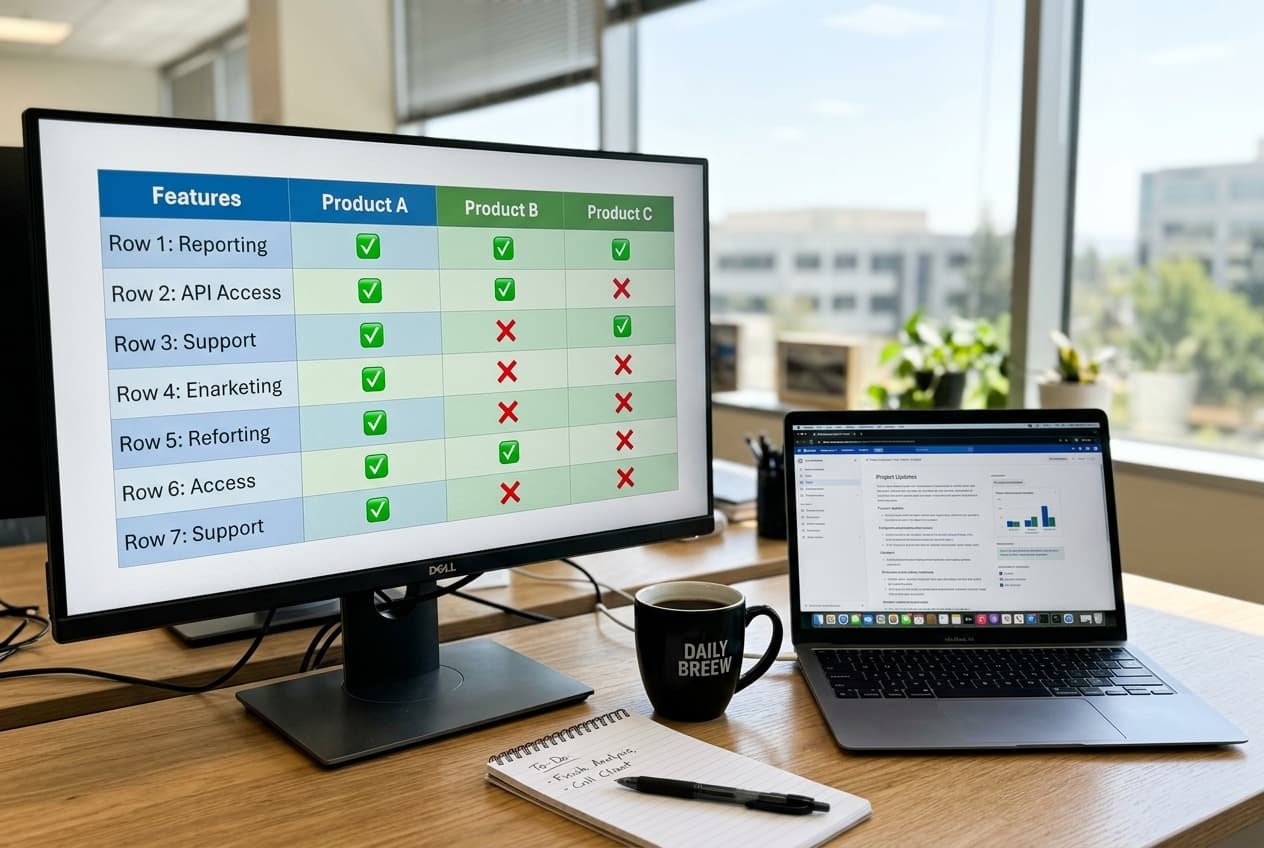
Quick comparison: summary table
To make the decision easier, here's a visual summary of the key features of each tool:
How to pick the right tool for you
The best AI tool for LinkedIn depends on your specific situation. There's no universal solution, but there are clear recommendations for each profile:
If you want to automate your personal brand and need content that sounds like you, with professional photos, auto-publishing, and performance analytics, Clonio is the most complete option. It's built specifically for that and its voice analysis during onboarding sets it apart from any generic generator.
If you publish primarily in English and want an all-in-one platform with CRM and an inspiration library, Taplio is the benchmark.
If you prefer writing your own content but want advanced editing tools and preview, AuthoredUp is a modest investment that tangibly improves the quality of your posts.
If you need advanced analytics with CSV data export, detailed historical comparisons, and deep dashboards that go beyond what content creation tools offer, Shield is the benchmark. Tools like Clonio already include built-in analytics, but Shield adds a deeper layer.
If you're starting and don't want to invest, Kleo (free) + ChatGPT (free or Plus) is a strong combination: you research what works with Kleo and draft with ChatGPT. The cost is zero, though the time investment is considerably higher.
If you manage content for a marketing team and LinkedIn is just one channel within an omnichannel strategy, Jasper offers the most robust ecosystem for collaborative work and brand consistency.

Workflows: how to combine tools
No tool does everything perfectly. The most effective creators combine several to cover the full workflow. These are the most common stacks we've seen working in 2026:
Minimalist stack (low cost): Kleo (free) for content research + ChatGPT for drafting + manual posting on LinkedIn. Cost: 0-20€/month. Weekly time: 3-4 hours. Ideal for people who are starting out and have more time than budget.
Automated stack (maximum productivity): Clonio for creation, images, auto-publishing, and built-in analytics. Weekly time: 1-2 hours (basically reviewing drafts and adding your personal touch). Ideal for professionals who want to maximize results while minimizing time. If you need deeper analytics with CSV export and historical comparisons, you can add Shield.
Advanced creator stack (full control): AuthoredUp for editing + Taplio for scheduling and CRM + Shield for analytics. Cost: ~85-195€/month. Weekly time: 3-5 hours. Ideal for creators who enjoy the writing process and want granular control over every aspect.
The key is identifying where your bottleneck is. If your problem is ideation and drafting, invest in content generation. If you post good content but don't know why it isn't growing, invest in analytics. If the problem is consistency, invest in scheduling and automation.
Common mistakes when using AI for LinkedIn
No matter which tool you pick, there are mistakes that can ruin your strategy:
Publishing without editing. Even the best AI produces drafts, not finished products. A post without your personal touch — a real anecdote, a data point from your experience, a genuine opinion — sounds generic. Your audience picks it up and loses interest. Always spend 5-10 minutes personalizing every draft. If you want to go deeper on how to stay authentic while automating, read our guide on automating without losing authenticity.
Ignoring "AI-isms."Expressions like "in an increasingly digital world," "it's worth noting that," "without a doubt," or "it's no secret that" are classic signs of AI-generated text. Before publishing, do a quick pass and swap these crutches for expressions you actually use.
Not varying formats. If all your posts have the same structure (sensational hook, list with emojis, motivational close), your audience gets bored. Alternate between long narrative posts, practical lists, open questions, educational carousels, and short reflections.
Obsessing over volume. The 2026 LinkedIn algorithm rewards quality over volume. Three excellent posts per week generate more impact than seven mediocre ones. Use AI to raise quality, not just multiply volume. To understand exactly how the current algorithm works, check our analysis of the LinkedIn algorithm in 2026.
The future of AI for LinkedIn: what to expect
The AI tooling space for LinkedIn is moving fast. These are the trends that will shape the coming months:
LinkedIn will keep improving 360Brew.Its native AI assistant already generates acceptable drafts, and every update brings it closer to external tools. That will force third-party tools to differentiate with features LinkedIn doesn't offer natively: voice learning, personalized images, advanced analytics.
Posts will be discoverable through search.LinkedIn has drastically improved its internal and external search engine. Your posts now show up in Google and in searches within the platform. That adds an SEO layer to LinkedIn content that didn't exist before, and tools that help optimize that visibility will gain relevance.
Short video will gain ground. 30-90 second videos with AI-generated subtitles get higher engagement rates than plain text. Tools that integrate AI video generation or editing will have a competitive edge.
Authenticity as a differentiator. As more creators use AI, generic content becomes noise. The tools that actually learn your voice and produce differentiated content will be the only ones adding real value. Generating more isn't enough; you have to generate better. To go deeper on how AI can boost your personal brand, read our article on personal branding and LinkedIn with AI.
Wrapping up: AI doesn't replace you, it boosts you
No AI tool is going to build your personal brand for you. What it can do is remove the mechanical tasks — the blank page, hunting for images, scheduling posts — so you can focus on what actually adds value: your perspective, your experience, and your ability to connect with other professionals.
The tool choice depends on your situation: budget, technical level, primary language, and desired level of automation. If you want the most complete, automated experience, try Clonioand judge the results yourself. If you prefer a more manual approach, combine ChatGPT with Kleo and Shield. Whatever your pick, the important thing is to start. Content you don't publish generates no results.
For more practical strategies on creating LinkedIn content with AI, check our complete guide to AI LinkedIn post generators.
Automate your LinkedIn with AI that learns your voice
Clonio generates authentic content, creates AI photos of you, and posts automatically.
Get startedRelated articles
How to automate LinkedIn without losing authenticity
Proven strategies to automate your LinkedIn without sounding robotic.
AI LinkedIn post generator
Complete guide to generating authentic posts with AI.
Personal branding on LinkedIn with AI
How to use AI to build and boost your personal brand.
The LinkedIn algorithm in 2026
How the current algorithm works and what it rewards.